


Beginner's Guide to iPad Garden Design Software in 2026
- John Wood

- May 20
- 8 min read
By John Wood TL;DR
iPad workflows are becoming increasingly common within professional garden design.
Procreate, Morpholio Trace and SketchUp are among the most widely used digital tools for garden designers.
iPad software supports sketching, concept development, presentation graphics and workflow flexibility.
Digital workflows help improve communication, presentation quality and design revisions.
The best software depends on whether you prioritise sketching, technical modelling or visual presentation.
Many professional garden designers combine multiple apps rather than relying on a single software platform.
What Is iPad Garden Design Software?
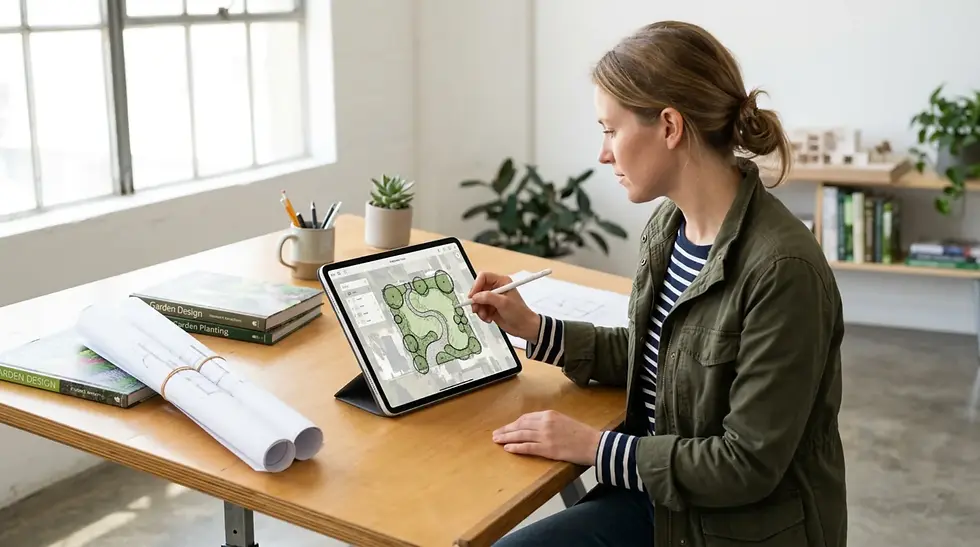
iPad garden design software refers to digital tools used by garden designers and landscape professionals to sketch concepts, develop layouts, create planting plans and communicate ideas visually using iPad-based workflows. These apps are designed to improve flexibility, portability and presentation quality throughout the garden design process.
Unlike traditional desktop-only CAD workflows, iPad software allows designers to work more fluidly between site visits, concept development, client meetings and presentation stages.
Many modern garden designers now use iPad workflows for:
Digital sketching
Concept development
Planting plans
Presentation layouts
Visual communication
Site annotations
Client revisions
Moodboards and design inspiration
At Create Visual, John Wood works with garden designers across the UK to help integrate practical digital workflows into real-world design projects. Based on training designers transitioning from traditional hand drawing into digital systems, iPad workflows are often one of the easiest and most flexible ways to modernise the design process without losing creativity.
According to Apple, iPad Pro devices and Apple Pencil technology have become widely adopted across creative industries because they allow professionals to sketch, annotate and create visual content with greater flexibility and portability.
Why Are More Garden Designers Using iPads?
Garden designers are increasingly expected to communicate ideas visually, revise layouts quickly and provide clients with more engaging presentation material. iPad workflows help support these expectations while allowing designers to maintain a more creative and intuitive process.
Traditional tracing paper methods still play an important role within garden design, but many professionals now combine hand-drawn approaches with digital workflows to improve organisation, efficiency and client communication.
One of the biggest advantages of iPad workflows is flexibility.
Designers can:
Sketch during site visits
Annotate plans in meetings
Revise concepts quickly
Develop presentations remotely
Organise design stages more efficiently
Carry entire workflows on a single device
Based on working with garden designers across different experience levels, many professionals find iPad workflows feel less intimidating than traditional CAD software because they retain a more visual and sketch-based approach.
What Is Procreate Used For in Garden Design?
Procreate is a professional-grade illustration app for iPad widely used by garden designers for layer-based digital sketching, rendering and presentation graphics.
Garden designers often use Procreate for:
Concept sketches
Annotated plans
Coloured visuals
Presentation layouts
Planting overlays
Client-facing graphics
One of the biggest strengths of Procreate is its ability to maintain a hand-drawn aesthetic while supporting highly flexible digital workflows.
The software offers:
Layer-based editing
Advanced brush systems
High-resolution rendering
Flexible colour management
Custom workflow organisation
For many garden designers, Procreate becomes the main visual communication tool within the presentation stage of the project.
What Is Morpholio Trace Used For in Garden Design?
Morpholio Trace is an iPad sketching app designed around tracing-paper-style workflows, overlays and concept development.
Unlike Procreate, Morpholio Trace focuses more on rapid idea generation and iterative layout development rather than polished illustration output.
Garden designers commonly use Morpholio Trace for:
Tracing over surveys
Early-stage concept layouts
Overlay sketching
Spatial planning
Design annotations
Site analysis sketches
Many designers transitioning from traditional tracing paper workflows find Morpholio Trace particularly intuitive because it closely replicates familiar studio sketching methods.
According to Morpholio, the software is widely used across architecture, landscape design and creative industries because of its flexible tracing and layered sketching capabilities.
What Is SketchUp Used For in Garden Design?
SketchUp is a professional 3D modelling software widely used by garden designers and landscape professionals for spatial modelling, planting plans, terrain development and presentation workflows.
Unlike purely sketch-based apps, SketchUp focuses on three-dimensional design visualisation.
Garden designers use SketchUp for:
3D garden modelling
Planting visualisation
Spatial planning
Construction layouts
Terrain modelling
Client presentations
One of the biggest advantages of SketchUp is its ability to help clients understand scale, spatial relationships and layout structure more clearly.
Many professional workflows combine SketchUp with iPad apps such as Procreate and Morpholio Trace to create more flexible digital systems.
Which iPad Software Is Best for Beginner Garden Designers?
The best software depends on the type of workflow a designer wants to improve.
For beginners:
Morpholio Trace is often easiest for concept sketching and overlays
Procreate is strongest for visual presentation and rendering
SketchUp is best for spatial modelling and technical structure
Many beginners initially start with one app before gradually combining multiple tools as workflows develop.
Based on supporting designers transitioning into digital systems, one of the most effective approaches is learning software gradually rather than trying to master every platform simultaneously.
Can You Use Multiple iPad Apps Together?
Yes. Most professional garden designers combine multiple apps as part of a wider digital workflow.
A common workflow might involve:
Importing surveys into Morpholio Trace
Developing concept layouts and overlays
Modelling spatial ideas in SketchUp
Refining visuals and presentation graphics in Procreate
This layered approach allows designers to use the strengths of each app during different stages of the design process.
Rather than replacing creativity, digital workflows help support more flexible communication and organisation throughout the project lifecycle.

How Do iPad Workflows Compare to Traditional Hand Drawing?
Many garden designers still begin projects with traditional hand sketching because it allows ideas to develop quickly and creatively without feeling constrained by software.
However, iPad workflows have become increasingly popular because they combine the flexibility of sketching with the organisational advantages of digital systems.
Unlike traditional paper-based workflows, iPad software allows designers to:
Duplicate and revise concepts quickly
Organise layered drawings more efficiently
Annotate plans without starting again
Share visuals remotely with clients
Create presentation-ready graphics faster
Store entire projects digitally
For many professionals, the goal is not replacing hand drawing entirely but building hybrid workflows that combine the creativity of sketching with the efficiency of digital communication.
Based on supporting designers transitioning into iPad systems, one of the biggest mindset changes is understanding that digital workflows should support creativity rather than feel restrictive or overly technical.
What Hardware Do Garden Designers Need for iPad Workflows?
Most professional iPad garden design workflows are built around:
iPad Pro or newer iPad Air models
Apple Pencil
Cloud storage systems
External keyboards or stands
Digital file organisation systems
The Apple Pencil is particularly important because it allows designers to sketch naturally while maintaining pressure sensitivity and precision.
Many designers also use cloud-based workflows to transfer files between iPad and desktop systems more efficiently.
How Are Professional Garden Designers Using AI Alongside iPad Software?
AI-assisted workflows are becoming increasingly common within creative industries, including garden and landscape design. While AI tools do not replace professional design knowledge, they can support idea generation, moodboards, visual inspiration and early-stage concept exploration.
Many garden designers now combine AI-assisted workflows with iPad software such as:
Procreate
Morpholio Trace
SketchUp
Rendering tools
For example, AI-generated inspiration imagery may help explore:
Planting atmospheres
Material palettes
Concept directions
Moodboard development
Spatial inspiration
These ideas can then be refined using professional design workflows and presentation software.
Based on industry trends, the most effective workflows use AI as a support tool rather than relying on it to generate complete garden designs independently.
How Can iPad Workflows Improve Client Communication?
One of the biggest reasons garden designers adopt iPad workflows is improved client communication.
Clients often respond more positively to:
Visual overlays
Coloured concept sketches
Spatial visualisations
Annotated layouts
Presentation boards
Digital workflows also allow designers to revise concepts more quickly during meetings and present ideas more interactively.
Based on industry workflow trends, visual communication has become increasingly important within professional garden design because clients expect more engaging and understandable presentation systems.
What Are the Benefits of Learning Digital Garden Design Workflows Early?
For beginner garden designers and students, learning digital workflows early can create long-term advantages throughout both study and professional practice.
Developing digital workflow skills early often helps designers:
Build more organised systems
Improve presentation confidence
Communicate concepts more clearly
Adapt to modern client expectations
Work more flexibly across devices
Develop repeatable project processes
Digital workflows are also becoming increasingly valuable within:
Garden design education
Landscape architecture studios
Remote collaboration
Client presentations
Social media marketing
Portfolio development
Many designers now use digital workflows not only for project delivery but also for building visual content and communicating their design style online.
What Are the Most Common Mistakes Beginners Make?
Many beginners encounter similar workflow challenges when first moving into digital garden design systems.
Common mistakes include:
Trying to learn too many apps at once
Overcomplicating workflows early on
Focusing too heavily on rendering before concept development
Poor file organisation
Using overly complex component libraries
Expecting software to replace design thinking
The strongest workflows are usually simple, organised and focused on communication clarity rather than technical complexity.
Based on training garden designers across different experience levels, workflow simplicity is often more valuable than advanced software features.
Why Are Digital Garden Design Workflows Becoming More Important?
Digital workflows are becoming increasingly important because garden designers are now expected to work more flexibly, communicate visually and revise projects efficiently.
Modern workflows also support:
Remote working
Faster revisions
Improved presentation quality
Better file organisation
Easier collaboration
More engaging client communication
Rather than replacing traditional creativity, digital workflows allow designers to support hand-drawn thinking with more efficient communication systems.
Many professionals now use hybrid workflows that combine:
Hand sketching
iPad-based sketching
3D modelling
Rendering tools
AI-assisted idea generation
This flexibility allows designers to adapt workflows depending on project scale, presentation requirements and personal working style.
How Can Garden Designers Start Learning iPad Workflows?
The best way to begin learning iPad workflows is focusing on one clear problem rather than trying to adopt an entirely new system overnight.
For example:
Designers wanting better presentation graphics may start with Procreate
Designers wanting flexible concept sketching may start with Morpholio Trace
Designers needing spatial modelling may start with SketchUp
Learning gradually often creates far more sustainable workflows than attempting to completely replace existing systems immediately.
Professional training can also help designers avoid common workflow problems and develop systems more efficiently.
Professional Experience
This article is based on practical experience supporting garden designers and landscape professionals transitioning from traditional drawing methods into digital workflows. The guidance reflects real-world workflow challenges commonly encountered when integrating iPad software into professional garden design projects.
The focus is not simply on software features, but on how digital workflows support communication, creativity and practical project development within real garden design practice.
Author Bio
John Wood is the founder of Create Visual and a specialist in digital garden design workflows, visual communication and software training for garden designers and landscape professionals. He works with designers across the UK to help integrate practical digital systems using Procreate, Morpholio Trace, SketchUp and AI-assisted workflows.
Final Thoughts
iPad garden design software has become an increasingly valuable part of modern garden design workflows because it allows designers to sketch, communicate and present ideas more flexibly.
Whether using Procreate for presentation graphics, Morpholio Trace for concept development or SketchUp for spatial modelling, the strongest workflows are usually the ones that support creativity while improving communication and organisation.
For many garden designers, digital workflows are not about replacing traditional design skills, but creating more efficient and visually engaging ways to develop and communicate ideas.


Comments